
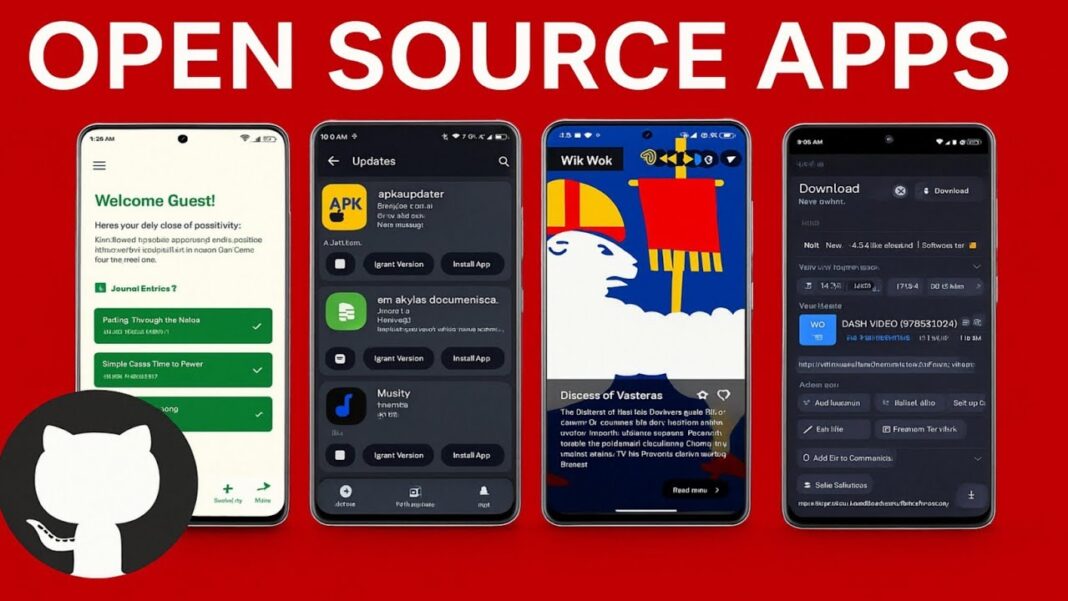


As I sat staring at my Android smartphone, I couldn’t help but feel a twinge of unease. The familiar hum of notifications, the glow of the screen, and the endless stream of apps all seemed to be working against me, draining my battery and my wallet. It was then that I made the decision to take the plunge: I would switch to free, open-source Android apps and see how it went. What followed was a complete transformation of how I use my phone.
The Initial Switch: A Leap of Faith
Switching to free, open-source Android apps wasn’t as simple as just downloading a few new apps. It required some research, some patience, and a willingness to adapt. I started by identifying the apps I used most frequently, from messaging and email clients to browsers and productivity tools. I then set out to find their open-source counterparts, scouring repositories like F-Droid and GitHub for suitable alternatives. The process was eye-opening, to say the least. I was surprised by the number of popular apps that had open-source equivalents, and I was even more surprised by the quality of some of these alternatives.
One of the first apps I replaced was my default browser. I had been using a popular, ad-supported browser for years, but I was tired of the clutter and the constant tracking. I switched to Firefox Focus, a privacy-focused browser that’s not only free and open-source but also designed with security in mind. The difference was immediate. Pages loaded faster, and I felt a sense of relief knowing that my browsing habits weren’t being tracked and sold. Other apps followed, including my email client and messaging app, both of which were replaced with open-source alternatives that offered similar functionality without the bloat.
Discovering the Hidden Gems of Open-Source
As I continued to explore the world of open-source Android apps, I began to discover some real gems. One of the standout apps for me was Signal, a secure messaging app that’s not only free and open-source but also widely regarded as one of the most secure messaging apps available. Signal’s end-to-end encryption and commitment to transparency made it an easy choice for me, and I was impressed by the app’s features and usability. I was also pleasantly surprised by the community surrounding Signal, which is actively involved in developing and improving the app.
Another app that caught my eye was Open Camera, a highly customizable camera app that’s designed with photographers in mind. With features like manual focus and exposure control, Open Camera offered a level of flexibility and control that my default camera app couldn’t match. I was impressed by the app’s UI, which was clean and intuitive, and I appreciated the fact that the app was free from ads and tracking. Open Camera quickly became one of my go-to apps, and I found myself using it more and more as I explored the world of open-source Android apps.
The Challenges of Switching: A Steeper Learning Curve
While the benefits of switching to free, open-source Android apps were clear, there were also some challenges to overcome. One of the biggest hurdles was the learning curve associated with some of these new apps. Many of the open-source apps I downloaded had different interfaces and workflows than their proprietary counterparts, and it took some time to get used to these differences. In some cases, I had to relearn how to use certain features or adjust to a new UI, which was frustrating at times.
Despite these challenges, I was determined to make the switch work. I spent time exploring the features and settings of each app, and I was often rewarded with new insights and capabilities that I hadn’t known existed. As I continued to use these apps, I began to appreciate the flexibility and customizability they offered, and I found that I was able to tailor my workflow and daily routine to suit my needs. The journey wasn’t always easy, but it was worth it – and I’m excited to see where it takes me next.
A Deeper Dive into the World of Open-Source Apps
As I continued to explore the world of free, open-source Android apps, I began to notice some common themes and characteristics among the apps I was using. One of the most striking observations was the emphasis on community-driven development. Many of the apps I was using were maintained by small teams of dedicated developers who were passionate about creating software that was not only free and open-source but also highly customizable. This approach to development had a profound impact on the overall user experience. For example, I found that many of the apps I was using had extensive customization options, allowing me to tailor the app to my specific needs and preferences.
| App | Description | Customization Options |
|---|---|---|
| Signal | A secure messaging app | Customizable notification settings, theme selection |
| Nextcloud | A self-hosted cloud storage solution | Customizable storage locations, user interface themes |
| NewPipe | A lightweight YouTube client | Customizable video playback settings, theme selection |
The Benefits of Open-Source: A Closer Look
One of the most significant benefits of switching to free, open-source Android apps was the increased security and privacy I enjoyed. By using apps that were transparent about their data collection practices and had no hidden agendas, I felt more confident in my ability to protect my personal data. For example, I switched to using Signal, a secure messaging app that offers end-to-end encryption and is widely regarded as one of the most secure messaging apps available. I also began using Firefox Focus, a privacy-focused browser that blocks tracking scripts and offers a range of other security features.
Another benefit of open-source apps is the community support that often comes with them. Because many open-source apps are maintained by communities of developers and users, there are often extensive forums and documentation available for troubleshooting and learning. This was particularly helpful when I encountered issues with some of the apps I was using, as I was able to find solutions and advice from experienced users and developers.
Overcoming the Challenges of Open-Source Apps
While switching to free, open-source Android apps has been a largely positive experience, it’s not without its challenges. One of the biggest hurdles I’ve faced is finding suitable replacements for popular apps. While there are many excellent open-source apps available, some popular apps simply don’t have equivalent open-source alternatives. For example, I found that some gaming apps and productivity tools were difficult to replace with open-source equivalents.
However, I’ve found that the F-Droid repository and other open-source app stores have been invaluable resources in my search for open-source apps. These repositories offer a wide range of open-source apps, including many that I hadn’t previously been aware of. Additionally, I’ve found that online communities and forums have been helpful in providing advice and recommendations on open-source apps.
In my experience, switching to free, open-source Android apps has been a journey of discovery and growth. While there have been challenges along the way, the benefits of increased security, privacy, and community support have made it well worth the effort. As I look to the future, I’m excited to see how the world of open-source apps continues to evolve and improve.
For those interested in making the switch, I recommend starting by identifying the apps you use most frequently and searching for open-source alternatives. You can also explore online communities and forums, such as the F-Droid website and the Open Source Android Apps GitHub repository, to learn more about the world of open-source apps. With a little patience and persistence, you can join the growing community of users who are embracing the benefits of free, open-source Android apps.
Learn more about open-source Android apps from Wikipedia and GitHub.