
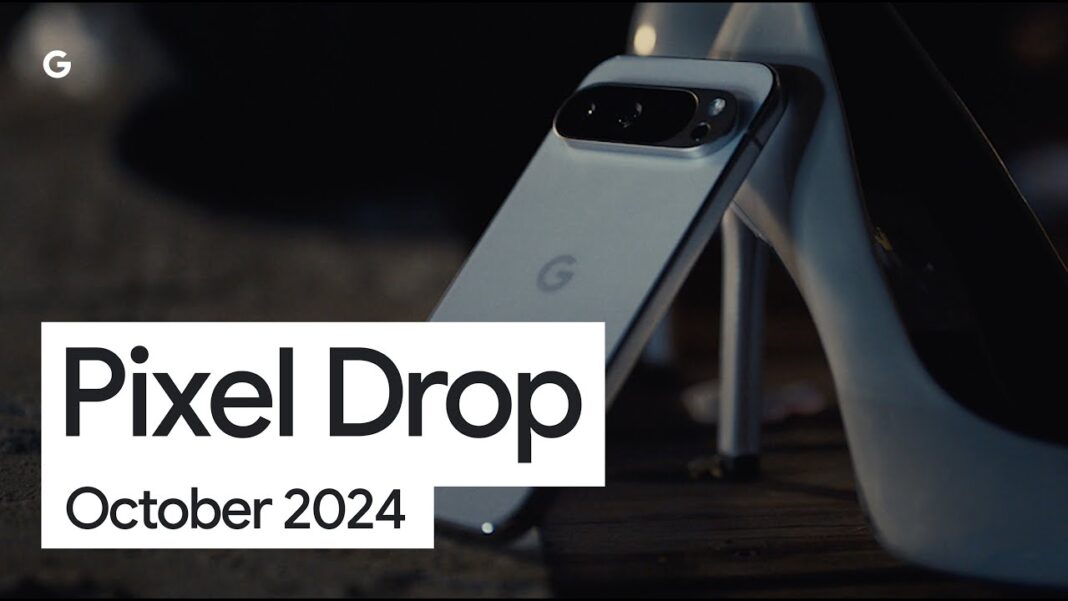


Imagine a world where your phone quietly slips on its own shoes, grabs a cart of fresh strawberries, and books a ride to the farmer’s market—all while you’re still scrolling through the morning news. That once‑sci‑fi fantasy has just stepped onto the streets of everyday life, thanks to Google’s newest Pixel drop. The star of the show is Gemini, the company’s next‑generation AI, now upgraded from a polite answer‑machine to a full‑fledged personal concierge that can wander inside your favorite apps, spot the perfect pair of jeans in a photo, and even keep your wristwatch safe from prying eyes.
Gemini Goes From Chatbot to In‑App Agent
At the heart of the Pixel 10 series lies a quiet revolution: Gemini can now handle tasks within apps without you having to tap “yes” at every turn. Want to restock your pantry? A simple voice cue sends the AI sliding into the Grubhub or Uber Eats interface, scanning your past orders, comparing prices, and—if you give it a nod—placing the grocery order while you sip your coffee. The same behind‑the‑scenes wizard can summon an Uber, lock the doors on your phone, or even pull up a table reservation at that new ramen spot you’ve been eyeing.
What makes this leap feel less like a cold algorithm and more like a helpful friend is the built‑in supervision layer. Gemini runs in the background, but Google has woven in “interruption controls” that let you pause, review, or cancel any action before it becomes final. It’s a subtle dance of autonomy and oversight, letting you keep the reins while the AI does the heavy lifting. As one early tester put it, “I felt like I was directing a movie, and Gemini was the crew that knew exactly where to set the lights.”
Beyond the pantry and the ride‑share, Gemini now sprinkles a dash of culinary inspiration into your chats with its Magic Cue feature. Ask it for dinner ideas, and it will sift through your location, dietary preferences, and even the weather to suggest a cozy bistro or a quick‑cook recipe. The recommendation pops up right in the conversation, turning a vague craving into a concrete plan without the usual back‑and‑forth of scrolling through endless reviews.
Seeing Is Believing: Circle to Search and Visual Tools
Pixel’s visual AI has been given a fresh coat of paint, and it’s called Circle to Search. Point your camera at a garden of wildflowers, a street‑wear outfit, or even a mystery plant, and a gentle circle appears around the object of interest. Tap it, and the AI instantly tells you the species, suggests a matching shirt, or offers a link to buy the exact pair of sneakers you just spotted on a passerby. The “Try It On” mode takes the fashion angle a step further, overlaying the clothing onto your live image so you can see how that bomber jacket would look before you click “add to cart.”
Music lovers get a quiet upgrade too: the beloved Now Playing tool has shed its sidebar status to become a standalone app. It silently logs every track you hear, letting you scroll back through a personal soundtrack of the day, share a favorite song with a friend, or discover the hidden gem that just played during a late‑night jog. It’s a reminder that even as AI takes on big chores, it still cherishes the small moments that make life feel soundtrack‑ready.
On the wrist, the Pixel Watch receives a security makeover that feels like a digital bodyguard. With the new “phone locking” feature, a simple glance at your watch can instantly lock your phone, protecting your data if you’re caught in a crowded subway. And for the coffee‑run crowd, “express pay” lets you tap your watch at a terminal and breeze through checkout, turning a mundane transaction into a sleek, almost magical gesture.
From Reactive Answers to Proactive Workflows
Google’s rollout of the Pixel 10, 10 Pro, and 10 Pro XL isn’t just a hardware refresh; it’s a manifesto about where the company sees AI heading. In the past, Google Assistant was the polite librarian who fetched facts when asked. Today, Gemini is the diligent concierge who anticipates needs, stitches together multi‑step workflows, and does it all while you continue scrolling, texting, or sipping your latte. The shift from “what’s the weather?” to “I’ve ordered your groceries, booked your ride, and found a table for two” marks a decisive move toward AI that lives in the background, not just the foreground.
Behind the scenes, the engineering team has woven a safety net of “interruption controls” and “built‑in supervision” to keep the AI’s autonomy in check. It’s a bit like giving a teenager a car with a GPS tracker: they can drive, but you can see where they’re going and step in if needed. This balance aims to keep users comfortable while still showcasing the convenience of a truly proactive assistant.
The launch, teased a week earlier at Samsung Unpacked, felt like a quiet drumroll rather than a fireworks display. Yet the ripple effect is already being felt in coffee shops, grocery aisles, and the pockets of commuters who now have a silent partner handling the logistics of daily life. As the next wave of Pixel users begin to explore Gemini’s new capabilities, the real story will be how many of us start to trust a piece of silicon enough to let it make the small decisions that used to feel too personal to outsource.
Seeing the Unseen: Circle to Search Turns Photos into Personal Shoppers
When you snap a photo of a sun‑drenched garden, the last thing you expect is a digital assistant to whisper, “That’s a Rosa ‘Peace’—you can find it at your local nursery for $19.99.” Yet that’s exactly the experience Gemini’s Circle to Search delivers on the Pixel 10 series. By tracing a thin, animated ring around every object in the frame, the AI isolates each element, runs it through a visual‑language model, and surfaces a curated list of matches—whether it’s a plant, a pair of sneakers, or a vintage lamp.
The real magic lies in the “Try It On” overlay for clothing. A user in a cramped apartment can point the camera at a shirt on the floor, and the AI will render the garment on a virtual mannequin that mirrors the wearer’s body shape. The result feels less like a cold catalog and more like a personal stylist whispering, “That shade of teal would make your eyes pop.” For many, it eliminates the “fit‑fear” that keeps online shopping from feeling intimate.
Behind the scenes, Google leverages its Gemini multimodal foundation model, which fuses image embeddings with natural‑language reasoning. The model’s ability to “see” and “talk” simultaneously shrinks the gap between visual discovery and actionable purchase. A quick table illustrates how this capability stacks up against the older Google Assistant:
| Feature | Google Assistant (pre‑Pixel 10) | Gemini on Pixel 10 |
|---|---|---|
| In‑app ordering | Manual navigation required | One‑tap confirmation after AI pre‑fills cart |
| Visual object identification | Limited to Google Lens, separate app | Integrated Circle to Search within any camera view |
| Try‑On simulation | None | Real‑time 3‑D overlay with size suggestions |
| Contextual price comparison | None | Live price pull from partner retailers |
For a busy parent juggling school runs and grocery lists, this visual assistant becomes a silent partner that translates everyday snapshots into concrete actions—turning a photo of a half‑empty fridge into a fully stocked pantry with a single spoken cue.
Wearables Meet AI: The Pixel Watch Becomes Your Personal Security Guard
While the phone does the heavy lifting, the Pixel Watch now wears the crown of guardianship. Google has woven Gemini’s reasoning engine into the watch’s firmware, giving it a “watch‑first” perspective on security. Imagine you’re jogging through a park; the watch detects that you’ve left your phone on a café table. A subtle vibration alerts you, and a voice prompt asks, “Do you want me to lock the phone?” A quick “yes” triggers the lock, protecting your data without you ever pulling out your device.
Beyond lock‑and‑unlock, the watch now supports “express pay” that’s smarter than a static NFC token. When you tap a terminal, Gemini evaluates the transaction context—time of day, merchant category, recent spending patterns—and can flag anomalies before the payment is sent. If you’re buying a coffee at 8 a.m., the AI breezes it through; if a high‑value purchase pops up at midnight, it asks for confirmation, reducing the risk of fraudulent charges.
These features echo a broader trend: AI moving from the cloud to the edge. By keeping the decision‑making loop on the watch, latency drops to milliseconds, and sensitive data never leaves the device. Google cites a edge‑computing architecture that processes biometric signals locally, ensuring that the watch can act even when the phone’s connection falters.
For seniors, this translates into peace of mind. A 72‑year‑old user who lives alone can rely on the watch to lock the phone automatically when she steps out for a walk, while still receiving a gentle reminder to “check the stove” if the AI detects a prolonged period of inactivity after a cooking session. The watch becomes a quiet sentinel, not a nagging alarm.
From Solo Chats to Seamless Orchestration: Gemini’s New Role as a Workflow Conductor
Gemini’s evolution from a question‑answering bot to a multi‑app conductor is perhaps its most profound shift. In the past, you’d ask, “Where’s the nearest sushi place?” and get a list of options. Today, you can say, “Plan a Saturday night for me,” and Gemini will weave together a narrative: it checks the weather, suggests a venue based on your past dining history, books a reservation, orders a ride, and even curates a playlist that matches the ambience.
This orchestration relies on what Google calls “interruption controls.” While the AI runs in the background, it surfaces a concise summary of each step—“I’ve reserved a table at Sushi Zen for 7 p.m.; would you like me to order a ride?”—allowing you to intervene at any point. The design philosophy mirrors a director’s storyboard: you sketch the outline, and Gemini fills in the scenes, always leaving the director’s chair open.
Such capability reshapes productivity for professionals on the go. A freelance photographer can dictate, “Schedule a shoot for next Thursday, order a backup battery, and email the client the contract.” Gemini then checks the photographer’s calendar, orders the battery from a preferred retailer, and drafts an email with a pre‑filled attachment—all before the photographer even reaches for the keyboard.
Critics worry about privacy when an AI can peek into multiple apps simultaneously. Google addresses this with a transparent permission model: each app integration requires an explicit opt‑in, and all data exchanges are logged in a user‑accessible audit trail. The audit view, accessible via Settings → Gemini → Activity Log, shows timestamps, actions taken, and the exact prompts that triggered them, reinforcing trust through visibility.
Looking Ahead: The Human‑Centric Future of AI‑Powered Pixels
What does a world where your phone and watch anticipate needs before you voice them look like? For many, it feels like stepping into a story where the protagonist is subtly guided by an unseen mentor. The mentor doesn’t dictate choices; it offers possibilities, nudges, and safeguards. Gemini’s latest rollout exemplifies that philosophy—technology that amplifies human intention rather than eclipsing it.
From a societal standpoint, the integration of AI into everyday objects could democratize access to services that once required expertise. A teenager in a rural town can now “try on” the latest fashion trends without a boutique, while a small‑business owner can automate order fulfillment with a single spoken command. The ripple effect may be a more inclusive digital economy where convenience isn’t a premium feature but a baseline expectation.
Yet the journey is far from over. As Gemini learns to navigate more complex ecosystems—health records, financial planning, even civic services—the balance between convenience and consent will be the litmus test for its long‑term acceptance. Google’s current emphasis on supervision layers and audit logs suggests a roadmap that keeps the user in the driver’s seat, but the real test will be how gracefully that seat adapts as the vehicle becomes increasingly autonomous.
For now, the Pixel 10 series offers a glimpse of that future: a phone that can turn a grocery list into a cart without you lifting a finger, a watch that safeguards your data with a tap, and an AI that choreographs your day like a seasoned stage manager. It’s not just a gadget upgrade; it’s a subtle redefinition of how we interact with the digital world—one circle, one cue, one confident tap at a time.